
AI for the rest of us
A calm, powerful, private AI workspace, perfectly at home on your computer
Instrument is in private beta
Available on Mac, Windows, and Linux
Instrument is a dependable AI workspace for people who get things done
What is Instrument?
Instrument is a powerful AI workspace that runs privately on your computer. It uses a built-in browser, works with your local files, and runs its own tools to complete complex tasks. Use Instrument's built-in AI, which routes to the best model for the job. Pick from leading models like Claude, GPT, and Gemini. Or bring your own API key and pay your provider directly. You can even run local models so nothing ever leaves your computer. And Instrument is proudly open source, so you can see exactly how it works. All local. All yours.
What can you do with it?
Most AI tools live behind a chat box, in the cloud, answering questions. Instrument runs on your computer and helps you get work across the finish line. It can browse the web in its built-in browser, read and write files on your computer, draft documents, transform data, and string those abilities together to complete tasks end to end.
How is Instrument different from ChatGPT or Claude?
ChatGPT and Claude are great at answering questions and drafting text, but they don't actually touch the files on your computer or do work on your machine. Instrument can. Point it at a folder and it reads what's there. Ask it to research something and it browses the web using its built-in browser, showing you every step. If you can imagine a challenging task on your computer, chances are Instrument can handle it.
Who is Instrument for?
Instrument is for people who want AI to help them be more capable at work, not replace them. Small business owners, consultants, operators, designers, engineers, managers: anyone who gets things done on a computer and wants a "one-stop shop" AI app.
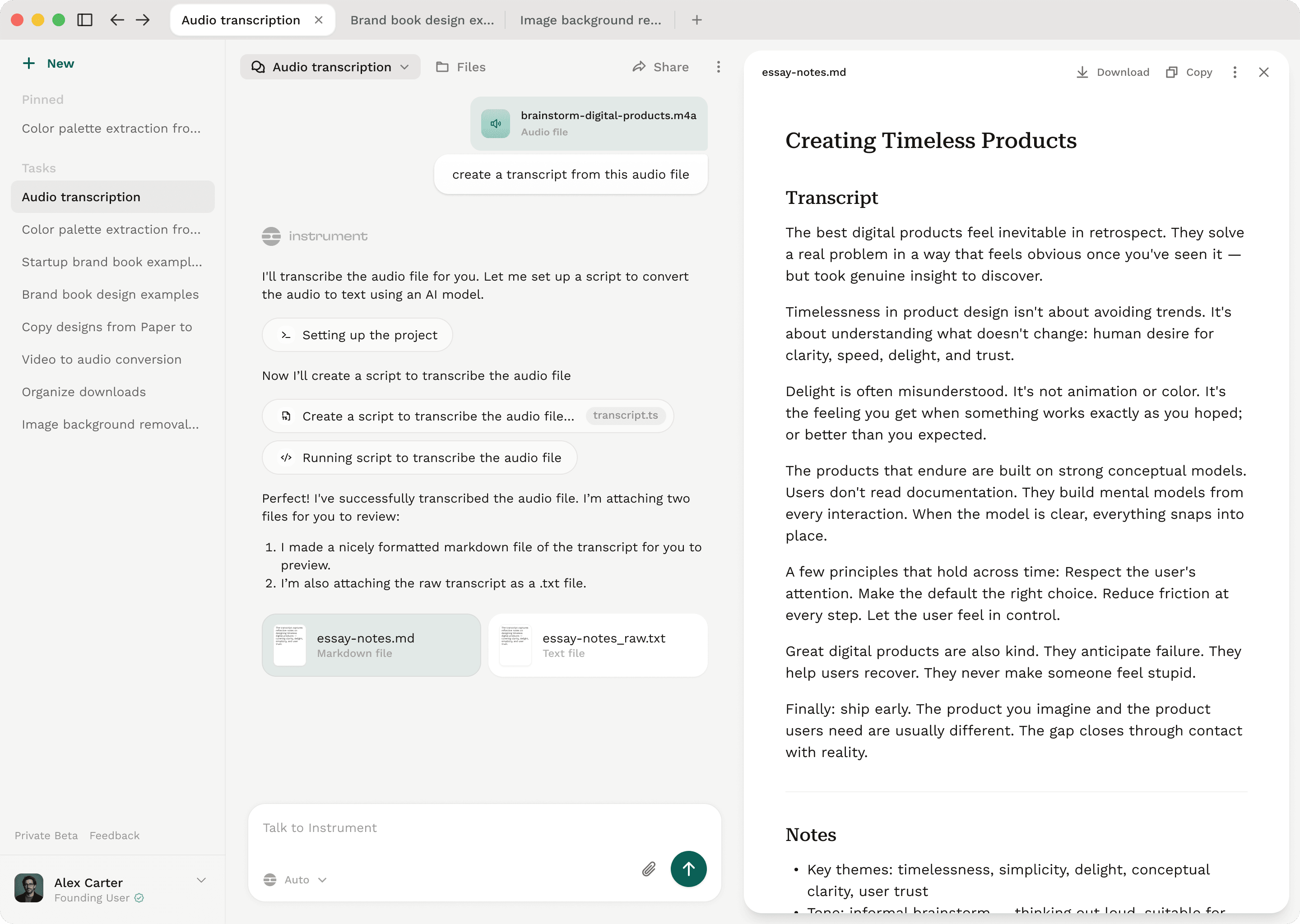

Add a powerful, capable AI tool to your everyday toolkit
Instrument is in private beta
Available on Mac, Windows, and Linux